Testing communication between device and server (mobile network connection)
- Within the desired customer, create a new site/application for operation of the Jellox Pulse on the myDatanet server (see Creating the site).
- Configure the created site/application according to your requirements (see Site configuration).
- Connect the antenna (see Connecting the mobile network antenna (only with D022‑4Z001200D05)).
- Complete all steps described in chapter Connecting the meters and the digital contacts.
- Trigger a connection using the reed switch (see Reed switch). The configuration of the site will also be transmitted to the Jellox Pulse
.
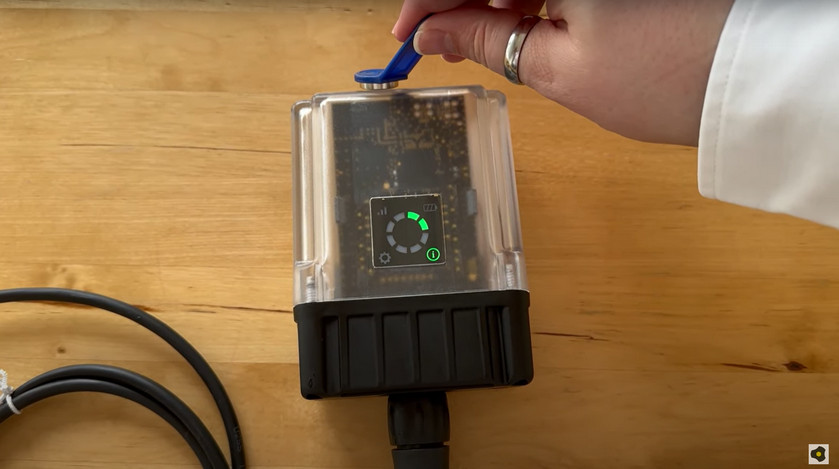
How-To-Video: Triggering a connection - Wait until it is indicated in the list of sites/applications that the device is connected
to the server (rotating arrows).
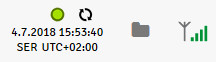
The Jellox Pulse is only connected to the server for a very short time. You can therefore check if the time stamp of the last connection (under the green status symbol) has been updated. If the device does not connect to the server within 5 minutes, activate the display by briefly pressing (for approx. 1 sec.) the reed switch (see Reed switch) and evaluate the error code shown on the display (see Display).
- Wait until several measurement values have been recorded. The waiting time depends on the configured record interval (see Device settings).
- Trigger a transmission again to transmit the recorded measurement values to the myDatanet server.
- Click on the "Direct report" symbol in the liste of sites / applications to display the
data that is saved on the myDatanet server.

- Check whether all of the data up to the point of the synchronisation is present and
plausible. Pay particular attention to the mobile nework signal strength.
Tip: Additional explanation on the assessment of the "Mobile radio field strength":":
"RSSI" > -70 dBm 
-70...-99 dBm 
-100...-109 dBm 
-110...-124 dBm 
-125...-130 dBm 
<= -131 dBm 


