Aloha transmission mode
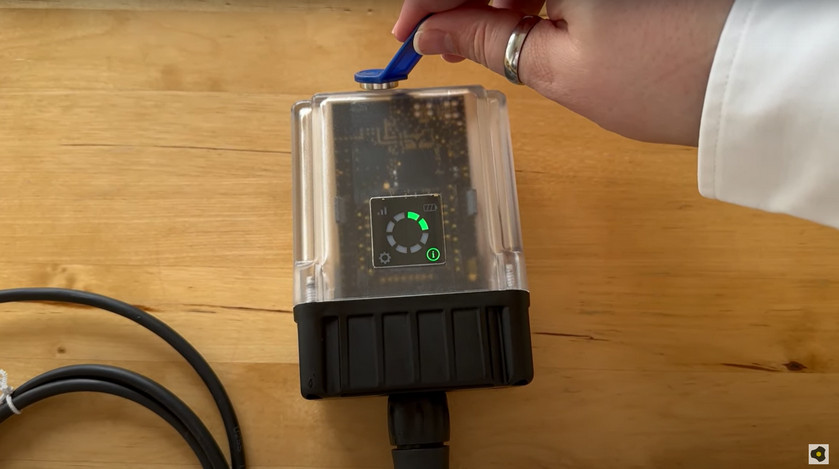
Aloha transmission mode is a special connection mode whereby the Jellox Pulse establishes a connection to themyDatanet server for 10 min. . The Aloha transmission mode is triggered directly on the device using the reed switch (see Reed switch). During this process, the server assignment is also checked.
|
|
| How-To-Video: Initiating Aloha transmission mode |
A speech bubble in the list of sites (see "myDatanet Server Manual " 805002) with the title "Aloha" indicates that a device is in Aloha transmission mode.
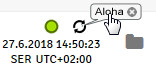
Clicking on the speech bubble with the "Aloha" title opens the Aloha data window (see "myDatanet Server Manual " 805002).It comprises the internal "RSSI" and "Battery" measurement values as well as the measurement values "Actuation state" (i.e. if the contact is in idle state or if it has been actuated) and "Meter reading" for each of the 4 inputs. Depending on the mode selected for the input, valid data is only transmitted for one of the two measurement values. The other measurement value is set to "NaN" respectively. For inputs in "digital" mode the "Actuation state" is transmitted and for inputs in "Counter" mode the "meter reading" is transmitted. The measurement values for the last 30 min. are always shown in the Aloha data window, which means that data from a previous Aloha transmission may be included. The Aloha data is generated every 3 sec. independently of the normal measurement values and is thus not saved with the standard measurement data.
a measurement dataset is recorded during Aloha transmission mode, it is immediately transmitted to the myDatanet server and saved in the standard measurement data.


