Reed switch
The MDN Magnet (206.803) included in the scope of delivery is required for operating the reed switch.
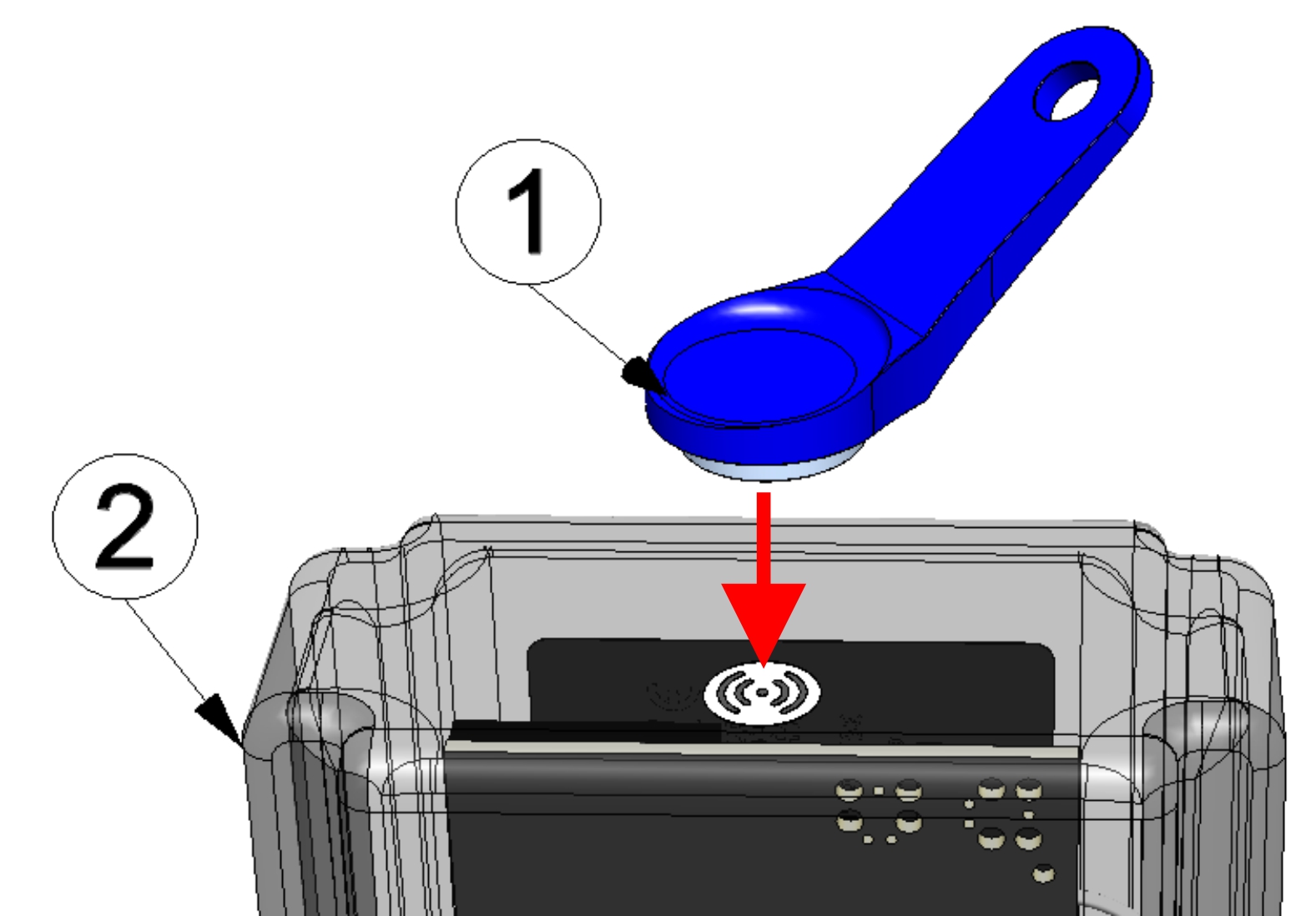
Operating the reed switch
| 1 | MDN Magnet (206.803) | 2 | Jellox Pulse |
The reed switch can be used to initiate Aloha mode, to switch on the display of the Jellox Pulse for 30 sec. or to switch between the tabs on the screen (error codes and current operating state) if the display is switched on.
| Display | Operation by the user | Device response | Operation after releasing the reed switch |
|---|---|---|---|
| Off | Press briefly (approx. 1 sec.) | Display is activated for 30 sec. | Alternating display of the error codes (provided there are active errors) and the current operating state (see Display) |
| Off | Press and hold for 3 sec. | Aloha mode is activated | --- |
| On | Press briefly (approx. 1 sec.) | Display switches to the next tab on the screen | When pressing briefly the first time after activating the display, automatic switching between the tabs is deactivated. |
| On | Press and hold for 3 sec. | Reset of the display |
The display of the Jellox Pulse is activated as soon as the reed switch is pressed. The time for which the reed switch was pressed is visualised by a circle in which the segments change from white to green. Aloha mode is activated once all of the segments have switched from whiete to green, i.e. the reed switch has been pressed for at least 3 sec. (see Aloha transmission mode).

|
... |

|
... |

|
Visualisation of the time for which the reed switch has been pressed
If the reed switch has been released before all segments of the info circle were green, the error codes (provided there are active errors) and the current operating state are displayed subsequently (see Display). In this case the screens are switching every 5 sec. . When pressing briefly the first time when the display is active, automatic switching between the tabs is deactivated. Then you can switch to the next screen using the reed switch. The remaining time the display is active for is reset to 30 sec. every time the reed switch is pressed.


