Aloha transmission mode
Aloha transmission mode is a special connection mode whereby the 4-Channel Data Logger establishes a connection to the myDatanet server for a period of time configured via the "Basic settings" configuration section (see "Online time" in chapter Basic settings). In addition, for the duration of Aloha transmission mode all outputs that are operated in " Ext warmup time" mode are switched on. Thus connected sensors are supplied during Aloha transmission mode and determination of valid sensor readings is ensured.
There are two options for triggering Aloha transmission mode:
- Directly on the device using the solenoid switch (see Solenoid switch). During this process,
the geographical position of the device is also determined and the server assignment is
checked. However, the position is only determined via mobile network cell
location.

How-To-Video: Triggering the Aloha transmission mode
- Via the myDatanet server if the "Interval & wakeup" connection type has been selected (see Basic settings).
A speech bubble in the list of sites (see "myDatanet Server Manual " 805002) with the title "Aloha" indicates that a device is in Aloha transmission mode.
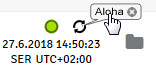
Clicking on the speech bubble with the "Aloha" title opens the Aloha data window (see "myDatanet Server Manual " 805002). It contains the internal measurement values, with the exception of "rH", "Load" and "Runtime" and the measurement values of the 4 universal inputs and the external temperature sensor. The measurement values for the last thirty minutes are always shown in the Aloha data window, which means that data from a previous Aloha transmission may be included. The Aloha data is generated every three seconds independently of the normal measurement value and is thus not saved with the standard measurement data.
If a measurement dataset is recorded during Aloha transmission mode, it is immediately transmitted to the myDatanet server and saved in the standard measurement data.


