"Sync" tab
This area is designed to synchronise measurement data and configurations between myDataconC3 , DeviceConfig and myDatanet server. The "Sync" tab is also available if there is no connection (USB or local radio) to a device.
Existing connection to the myDataconC3
If there is an existing connection to the myDataconC3 , there is an option to only synchronise the measurement data and configurations with the DeviceConfig configuration program for local processing or to transfer them to the myDatanet server. In the event that your PC is not connected to the Internet when reading out the data, you can initially synchronise the measurement data and configurations of the myDataconC3 with the DeviceConfig configuration program. As soon as your PC establishes a connection to the Internet, for example when you return to the office, you can then complete the synchronisations between the DeviceConfig and myDatanet server (see No connection to a device).
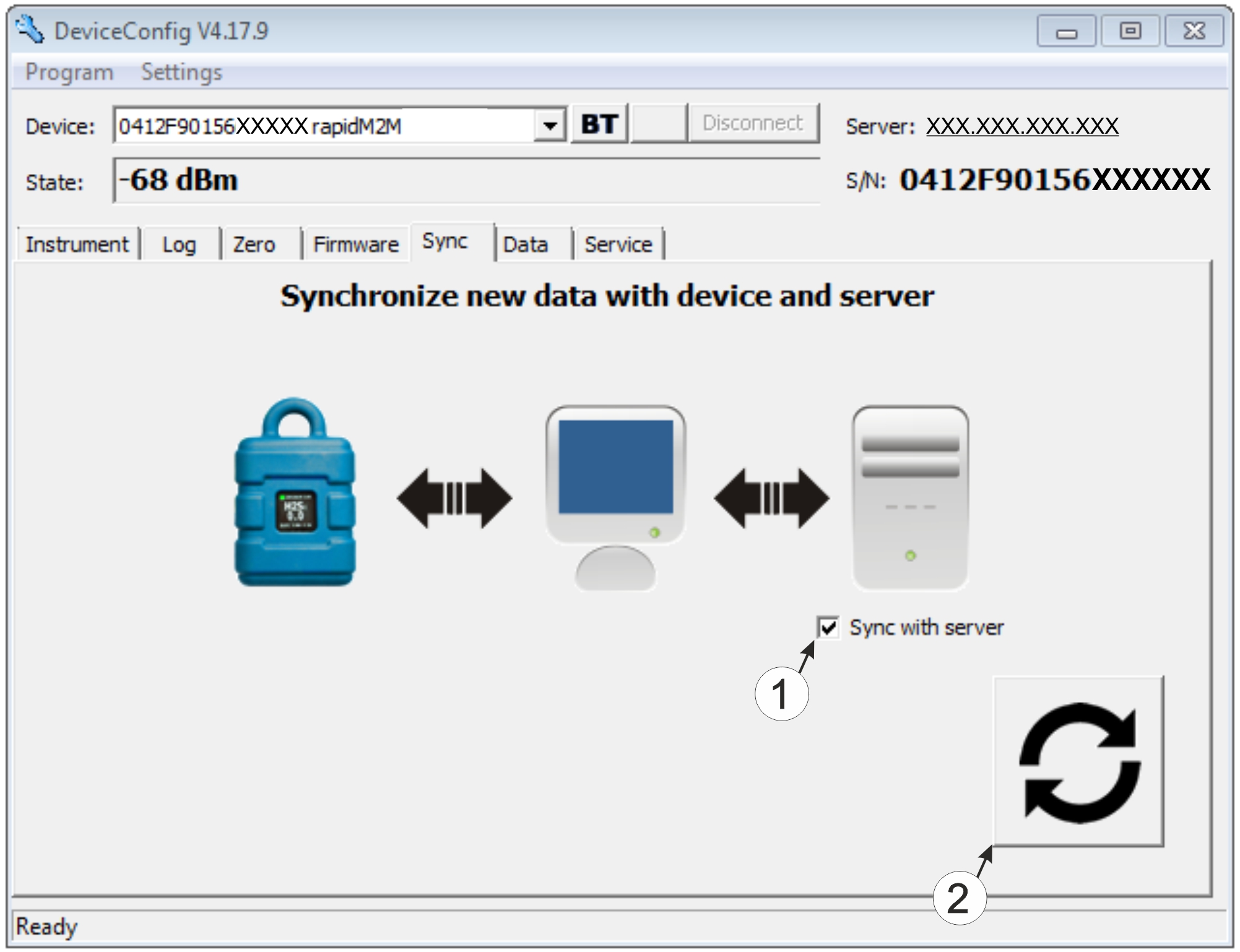
"Sync" tab when connected to the myDataconC3
| 1 | Checkbox to determine whether the measurement data and configurations should also be synchronised with the server when clicking on the Sync button. Note: This checkbox is only displayed if your PC is already connected to the Internet. |
| 2 | Button to trigger synchronisation |
No connection to a device
This option can be used to complete the synchronisation retrospectively, if no connection to the Internet was possible while reading out the measurement data and configurations from the myDataconC3 .
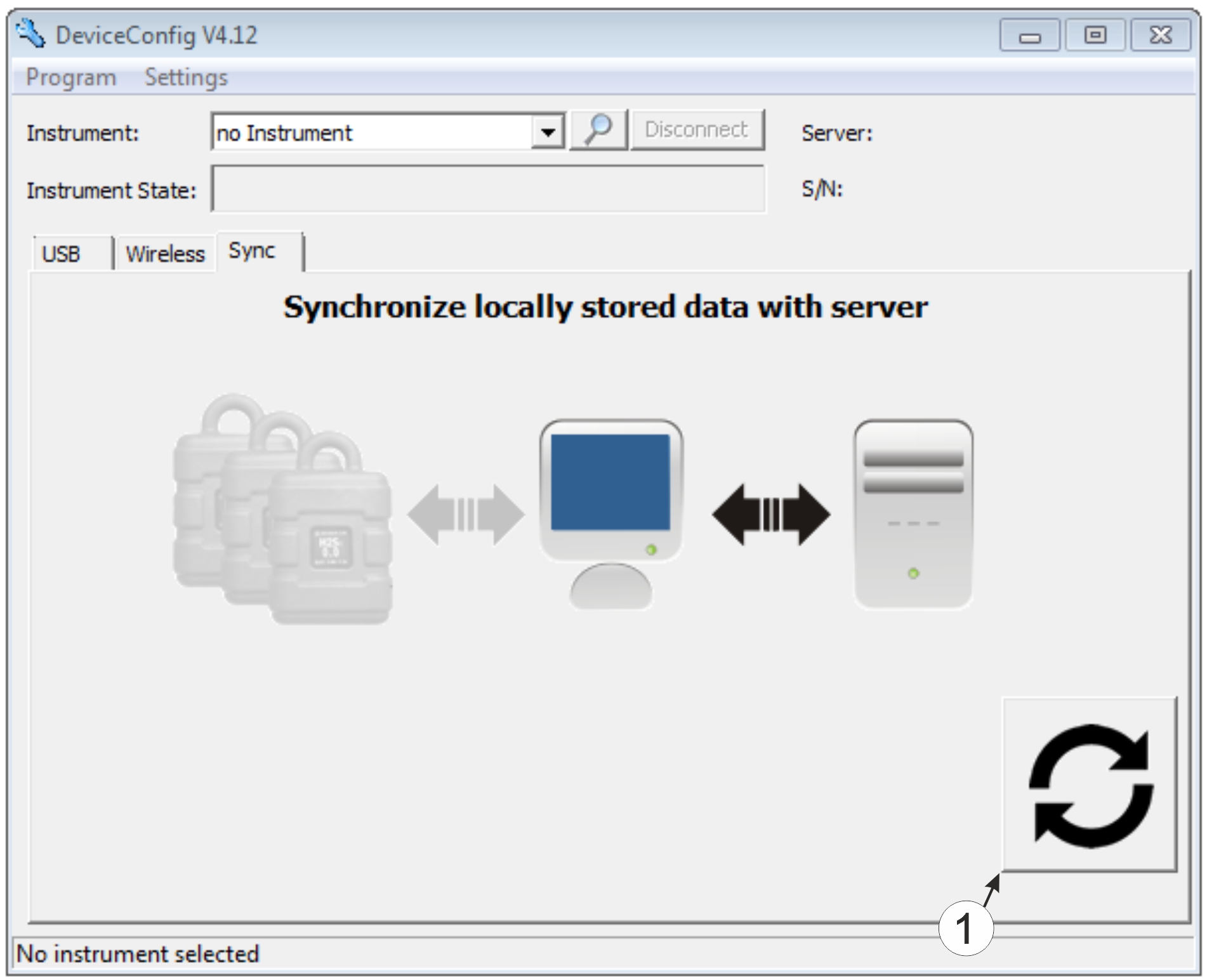
"Sync" tab without connection to a device
| 1 | Button to trigger synchronisation During this process, the measurement data and configurations for all of the devices that the DeviceConfig configuration program has saved locally are synchronised with the myDatanet server. |


