"Log" tab
This tab is designed to manage log entries. It enables the entries to be loaded from the myDataconC3 , to be saved as a *.tsv file and entries to be deleted from the memory of the myDataconC3 .
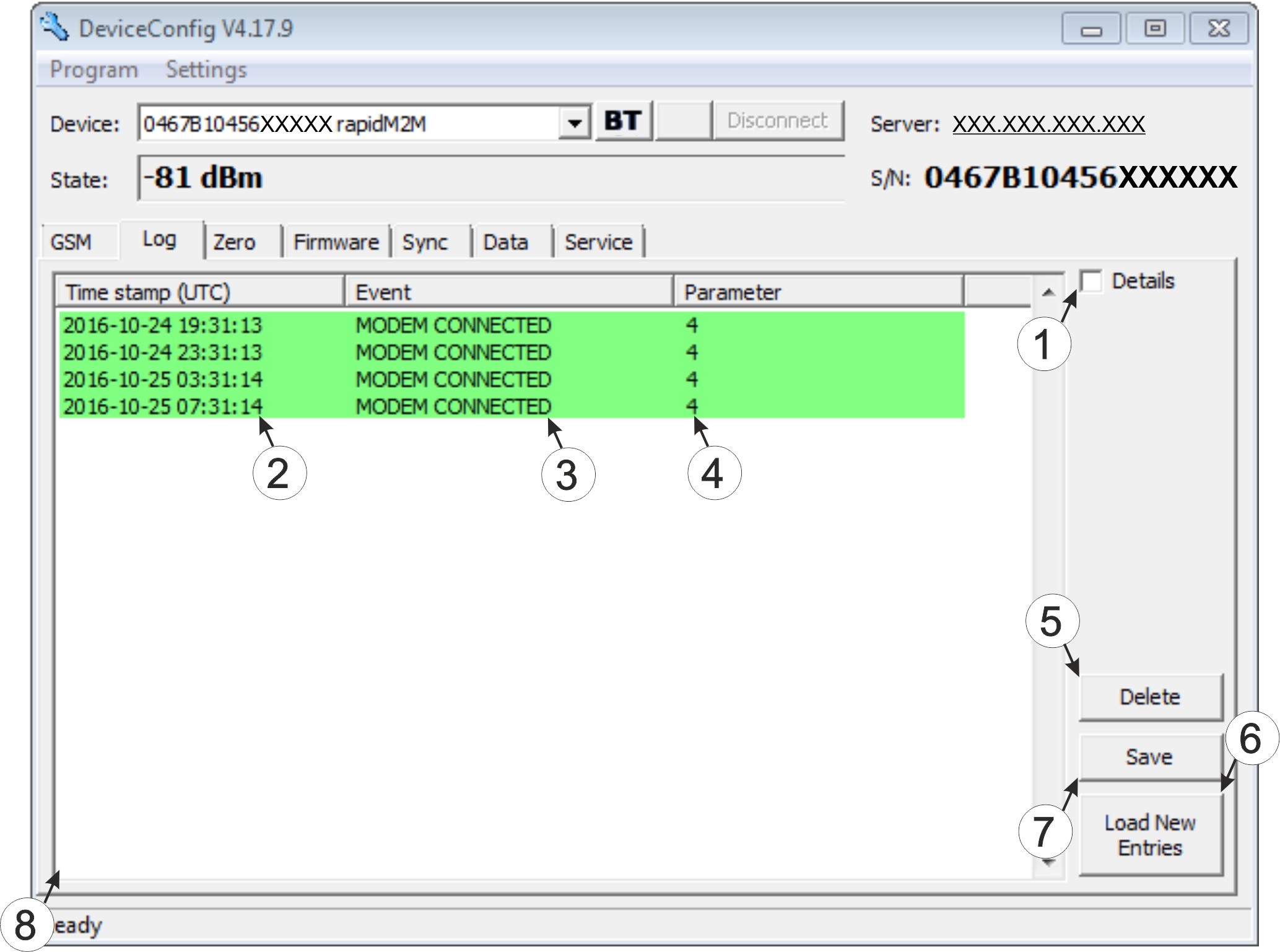
"Log" tab
| 1 | Activates the detailed display of the log entries | 5 | Deletes the log entries from the memory of the device |
| 2 | Time stamp of the log entry | 6 | Loads the log entries from the device |
| 3 | Log entry | 7 | Saves the loaded log entries as a tsv file |
| 4 | Parameter of the log entry | 8 | Window to display the loaded log entries |
The coloured highlighting indicates how crucial the log entry is. The white, informative log entries are only displayed when the detailed display of the log entries is activated (see "Log" tab with detailed view activated).
| Colour | Evaluation |
|---|---|
| White | Information regarding the current operating state |
| Green | |
| Light blue | |
| Blue | |
| Purple | |
| Grey | |
| Yellow | Uncritical error |
| Red | Critical error |
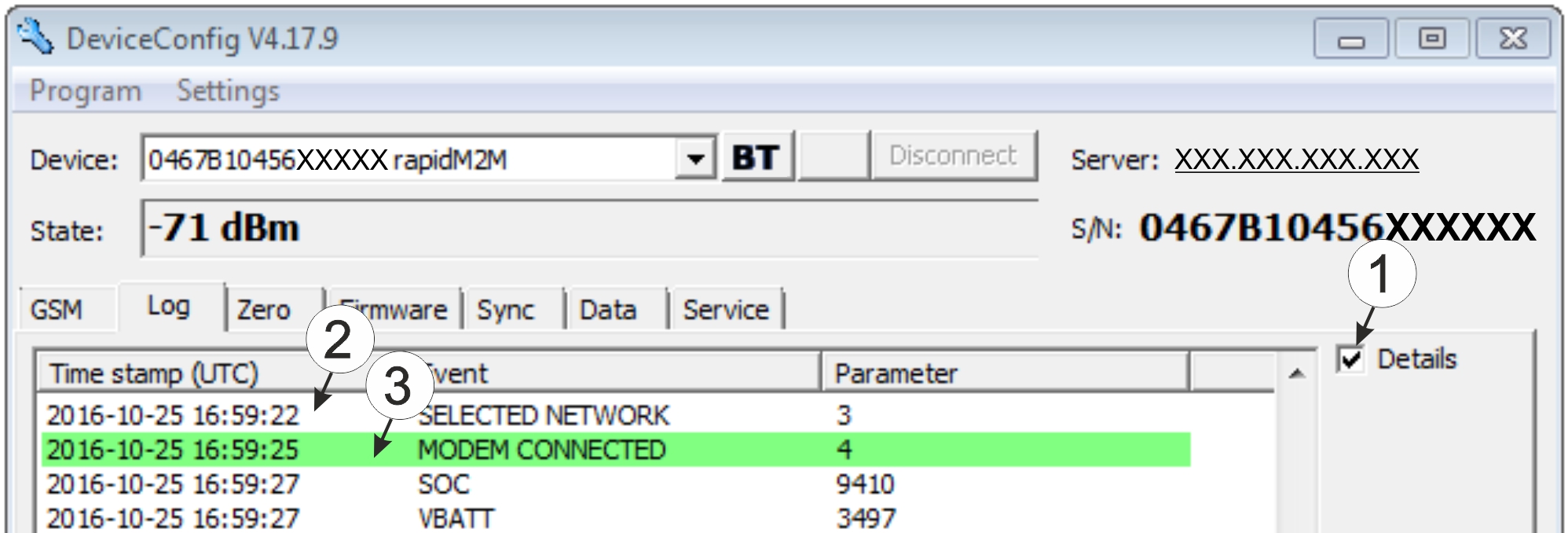
| 1 | Activates the detailed display of the log entries | 3 | Log entry that is always displayed |
| 2 | Informative log entry that is only visible if the detailed display is activated |


