Synchronisation with the myDatanet server
Using the "OnSite Companion" smartphone app, the measruement data and configuration can be synchronised between the Lizzox Pure Flood and the myDatanet server. It is read out via a local radio connection and forwarded to the myDatanet server via the smartphone's Internet connection. The smartphone app does not offer the option of temporarily storing the data, i.e. the smartphone used must have an active Internet connection while the data is being read out at the measurement site.
- Open the "OnSite Companion" smartphone app.
- Click on the magnifying glass icon to search for compatible devices within range.
Alternatively you can manually enter the serial number of the device or use the camera to scan it.
Tip: If you have accessed the application as a progressive web app via your browser, the search for devices within range is not available.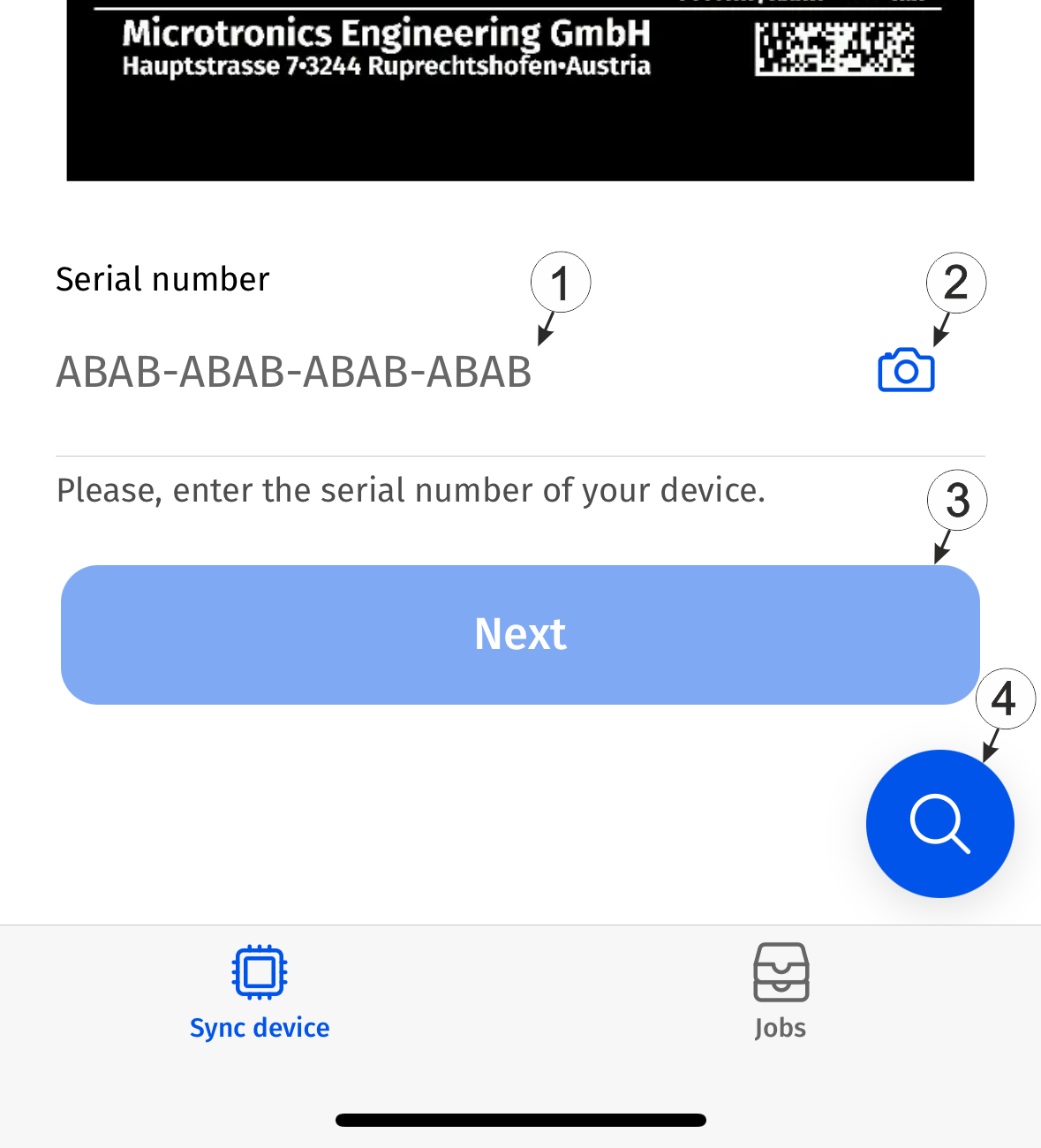
Display for synchronising device and server
1 Field to enter the serial number manually 2 Activates the camera and enables scanning the serial number 3 Button to start synchronising 4 Scan for compatible devices within range - Click on the desired device in the list of devices within range to start
synchronisation.
If you have entered the device's serial number manually or scanned it using the camera, click on the "Continue" button to start synchronisation.
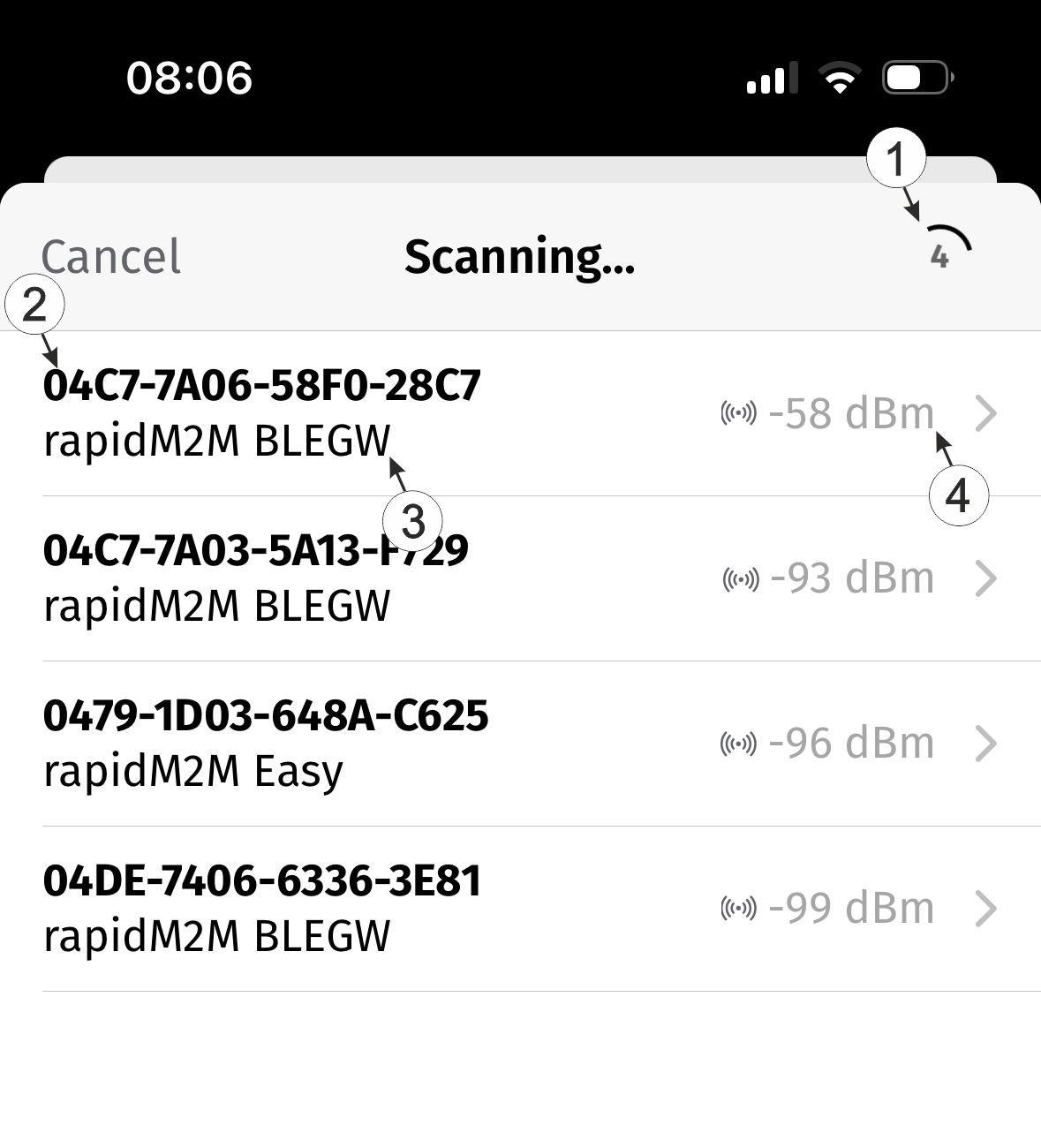
List of devices within range
1 Number of devices found 2 hardware platform installed in the device 3 Serial number 4 Radio signal strength between smartphone and Lizzox Pure Flood - Wait until the smartphone app indicates that the synchronisation process has been
completed. An active synchronisation process is indicated by an animation that shows the
transfer of information from the device to the cloud. If the process was completed
successfully, this is indicated by a tick. If an error occurs, a cross is displayed. In
this case, restart the synchronisation process.
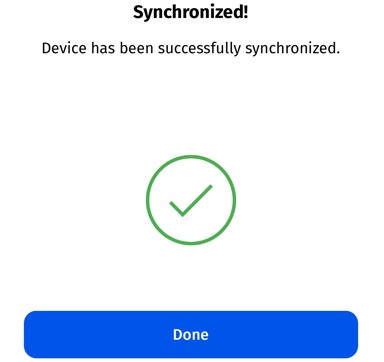
Synchronisation completed successfully

Error during synchronisation


