Main Level settings
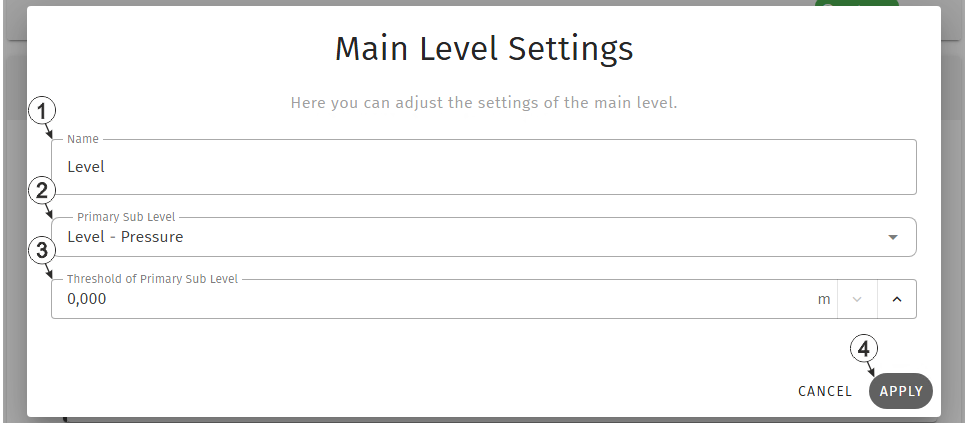
Input window "Main level settings"
| 1 | Freely selectable designation to be used for the measurement value of the main level |
| 2 | Selection which of the two sub levels should be used as primary sub level. The other sub level is automatically used as secondary sub level. |
| 3 | Threshold for switching between the primary and
secondary sub levels as source for the main level measurement data As long as the measurement value of the primary sub level remains below this threshold, the secondary sub level is used as the main level and recorded. Only when the threshold is exceeded is the primary sub level used as the main level and recorded. Regardless of the threshold value, if the sensor used for the active sub level fails, the system automatically switches to the other sub level. As both sub levels are continuously monitored in parallel, there is no interruption in the recorded main level measurement data. The same applies if the active sub level is deactivated or if only one sub level has been configured. |
| 4 | Button to apply the
settings
Note: To save the settings,
the "Save" button below the "Smart Actions" configuration section must also be
clicked.
|


