Installing the protection casing
The Protection casing (300662) is available as an optional accessory. It protects the device against impacts and has a retaining bracket.
|
|
| How-To-Video: Installing the protection casing |
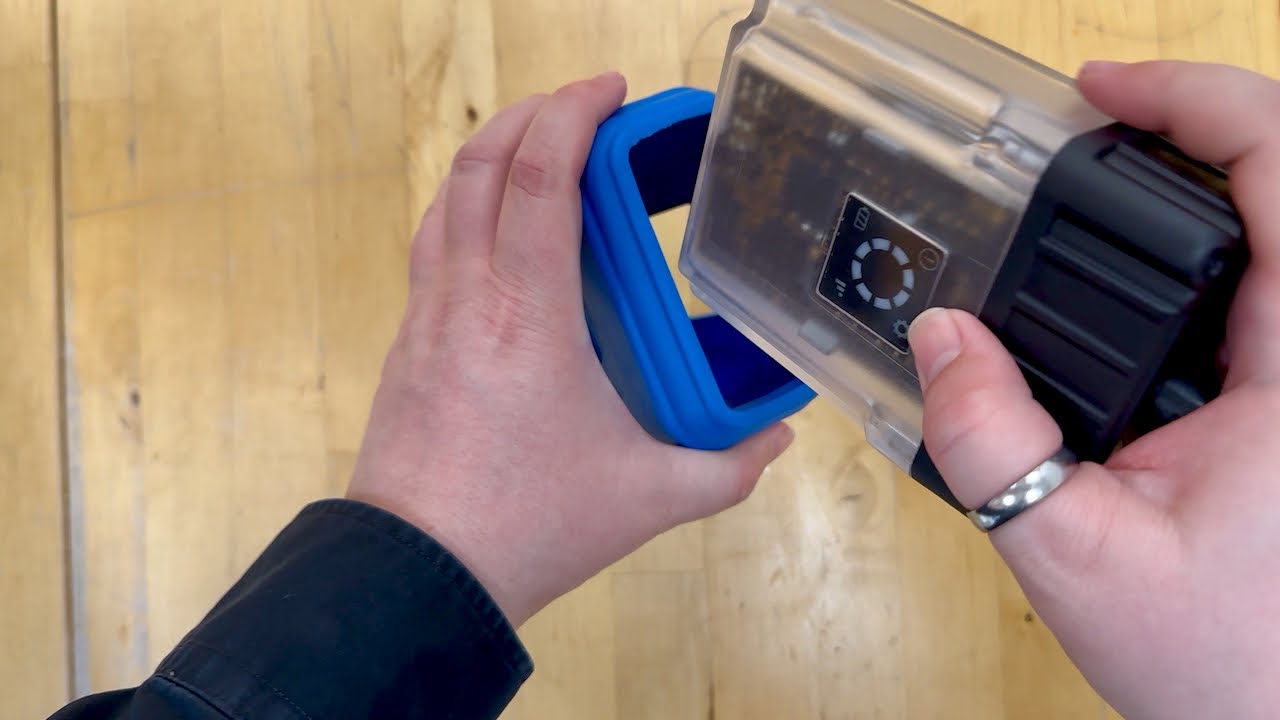
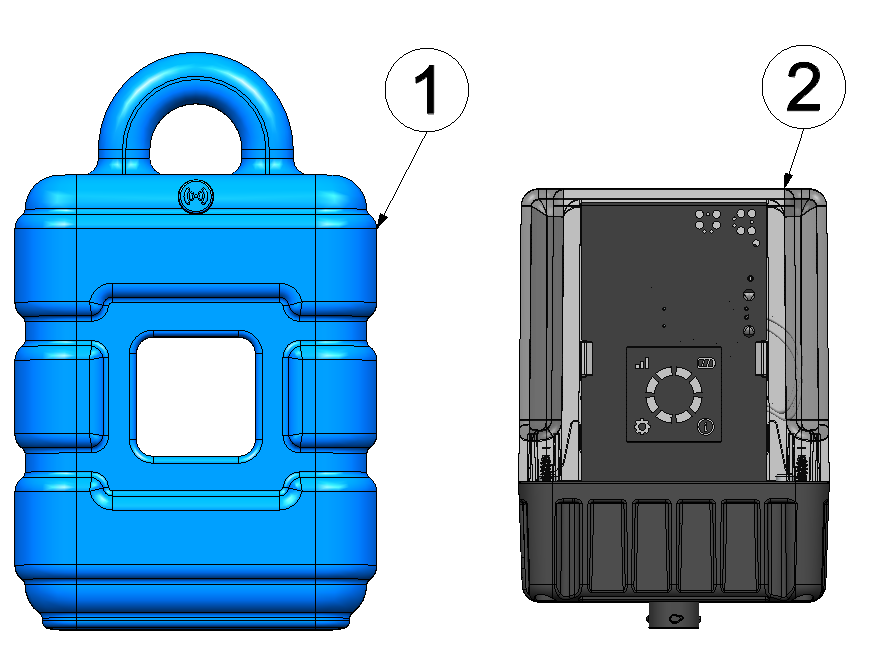
Installing the protection casing
| 1 | Protection casing (300662) | 2 | Jellox Pulse |
- Insert the Jellox Pulse
as far as possible in the
protection casing
Tip: Mind the alignment of the device to the protection casing.The smaller, square opening of the protecive armour is meant for the display. The longer one is for the type plate at the rear.

Step 1
- Use your thumbs to press against the bottom of the device until it is completely
inserted in the protection casing. If needed, you can use the openings for the display and
the type plate to increase the pressure used.
Tip: The Jellox Pulse is is inserted in the protection casing correctly if the display is located in the center of the corresponding opening in the protection casing.

Step 2


