Errors and notifications
If certain operating states or errors occur, corresponding messages are displayed in the areas with status information about the device, to the mA input or to the sensor modules. Notifications are always displayed in blue, while errors are displayed in red.
Assignment of sensors/actuators unknown
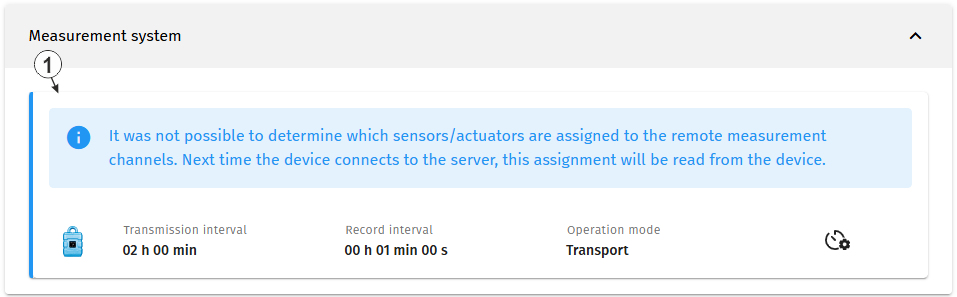
Assignment of sensors/actuators to the remote measurement channels unknown
| 1 | Assignment of sensors/actuators to the remote measurement channels unknown |
The notification shown above is displayed if the myDatanet server was unable to determine which sensors/actuators are assigned to the remote measurement channels when the site was created. When the device connects to the myDatanet server, this assignment is read from the device. Therefore, use the reed switch to activate the setup mode (see Setup mode) or wait for the next scheduled transmission. As long as the notification is displayed, the status information about the mA input and to the sonsor modules are hidden. It is therefore not possible to configure the mA input and the sensor modules.
Errors on the device
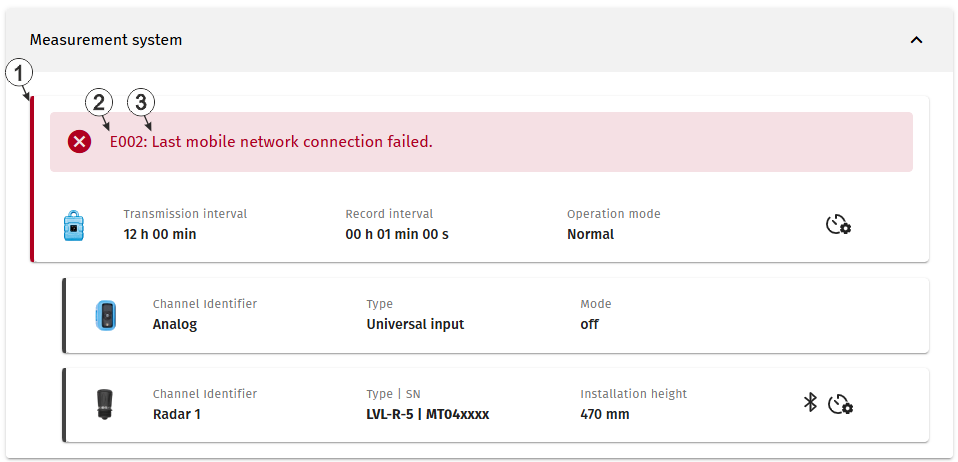
Error occurred on the device
| 1 | Status information about the Jellox Analog currently linked to the site |
| 2 | Error code An exhaustive list of possible error codes is provided in under "Error codes" in chapter Display |
| 3 | Error description |
Firmware update
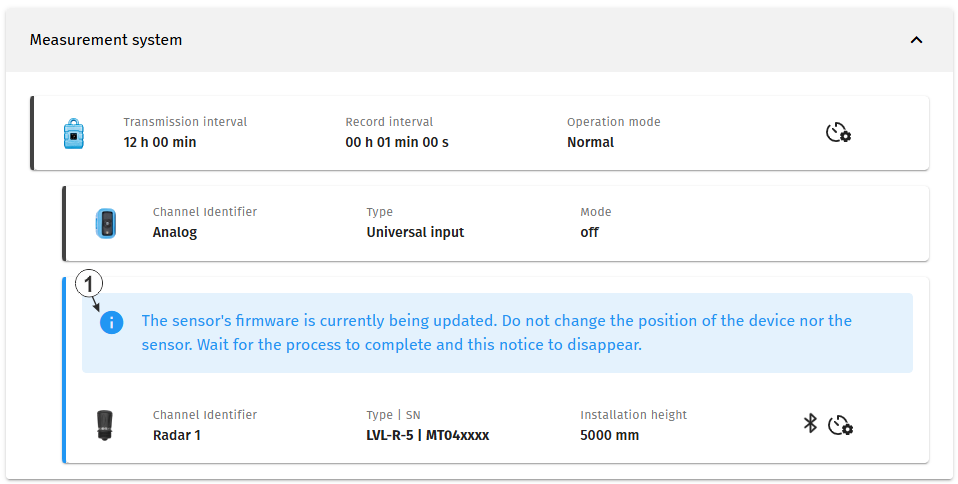
Firmware of the sensor module is being updated
| 1 | Firmware of the sensor module is being updated |
If required, the update for all LVL‑R‑5 and VEL‑R‑5 sensor modules linked to a measurement channel of the Jellox Analog is executed automatically. No user interaction is required. The update process may take several minutes. If a LVL‑R‑5 firmware is updated, "NaN" is recorded for all measured values of all remote sensors because the update process blocks communication with the other sensor modules. The update of a VEL‑R‑5 sensor module however doesn't affect the communication with other sensor modules. Even a VEL‑R‑5 sensor module of which the firmware is being updated continues providing valid measurement values. If the myDatanet server interface is accessed during the update, the message shown in the figure above is displayed in the configuration section "Measurement system". A corresponding notification is also displayed on the display of the Jellox Analog in the tab of the respective sensor module.
Error on the sensor module
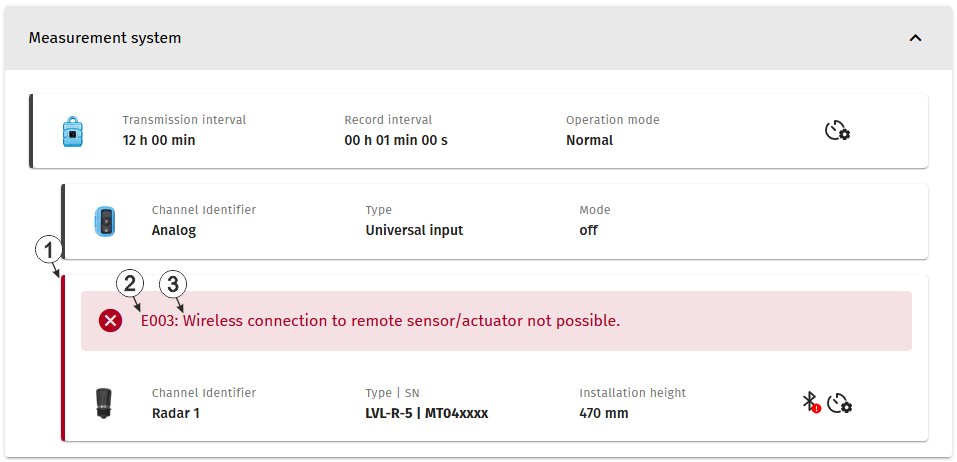
Error occurred on one of the sensor modules
| 1 | Status information about the sensor module currently linked to the first measurement channel |
| 2 | Error code An exhaustive list of possible error codes is provided in under "Error codes" in chapter Display |
| 3 | Error description |
The error codes are displayed separately for each sensor module in the status information section of the respective sensor module.


