Zero point adjustment using the local radio connection
- Place the sensor module in the final installation position. Tips and information on the installation of the sensor module are provided in the user manual of the relevant sensor module.
- Ensure that transport mode is deactivated. I.e. the "operating mode" in the input window "Device settings" (see Device settings ) needs to be set to "normal".
- Use the "OnSite
Companion" smartphone app to
synchronise the Jellox Node and the myDatanet server (see Synchronisation with the myDatanet server). Select "Synchronise device", use the magnifying glass icon to search
for compatible devices and click on the desired device in the list displayed.
The application can also be accessed as a progressive web app (https://companion.microtronics.com/). This means that a PC or laptop can also be used instead of a smartphone. However, in this case, the search for devices within range is not available. The serial number must be entered manually or scanned using the camera icon.
- Enter the installation height (see Remote sensor module of type LVL-R-5) or the offset of the sensor module (see Remote sensor module of type Gauge)in the relevant input field.
- Ensure that the "Trimming" parameter is set to 0 for all sensors the zero point needs to be adjusted for (see Remote sensor module of type LVL-R-5 or Remote sensor module of type Gauge)
- Trigger the synchronisation between Jellox Node and the myDatanet server again to transmit the configuration of the site to the Jellox Node .
- Wait until some measurement values have been recorded. The waiting time depends on the configured record interval (see Device settings ) and the number of measurement values that you want to take into consideration when calculating the zero point adjustment. If necessary, you can shorten the record interval for this commissioning phase to reduce the waiting time. In this case, trigger the synchronisation again to transmit the altered record interval from the site to the Jellox Node .
- Trigger the synchronisation between Jellox Node and the myDatanet server to transmit the recorded measurement values to the myDatanet server.
- Wait until the "OnSite
Companion" smartphone
app indicates that synchronisation is completed.
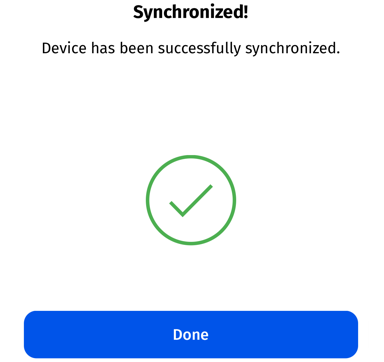
Synchronisation completed
- Click on the "Direct Report" symbol in the list of sites/applications to display the
data saved on the myDatanet server.

- A so-called "report" is used to display the data stored on the myDatanet server (see Reports). Use the
"Download" symbol to download the data of the displayed measurement value graphic as a
tsv file and calculate the average value of the measurement values for the
corresponding sensor module. Detailed instructions on handling the reports are provided in the myDatanet Server Manual (805002).

- If the calculated average value do not match the ones of the reference measurement, the zero point will need to be adjusted. To do so, calculate the difference between the calculated average value and the reference measurement and enter a corresponding correction value in the input field for the "Trimming" parameter (see Remote sensor module of type LVL-R-5 or Remote sensor module of type Gauge). Information on how the parameter "trimming" is integrated in the calculation of the water level can be found in the user manual of the relevant sensor.
- Trigger the synchronisation between Jellox Node and the myDatanet server again to transmit the altered configuration, i.e. the new value for "Trimming", first to the Jellox Node and subsequently to the sensor module.
- If a zero point adjustment was required, repeat all of the steps from step 9 "Wait until some measurement values have been recorded".
- Then compare the calculated
average value of the measurement values of the corresponding sensor modules with the
reference measurement again. If the values are still different, complete the zero
point adjustment again.
Note: The current value of the "Trimming" configuration parameter must now be taken into consideration when calculating the difference between the determined average and the reference measurement. Information on how the "Trimming" parameter influences the calculation of the water level is provided in the relevant user manual of the sensor module.


